
Claude for Small Business: What NZ Operators Should Automate First
Quick Answer
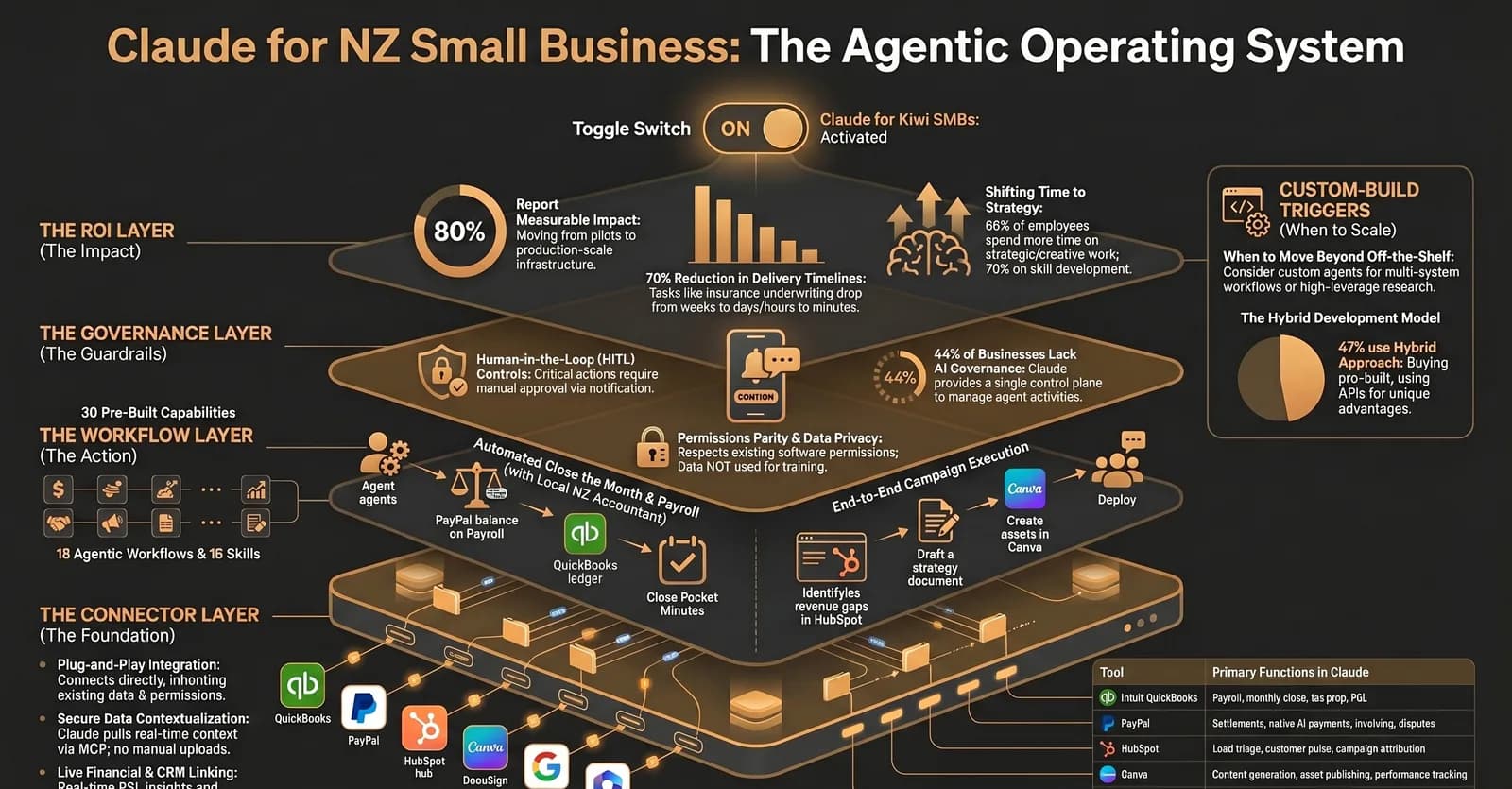
NZ operators should use Claude for Small Business first on low-risk, high-volume workflows such as invoice chasing, month-end preparation, lead triage, sales follow-up, reporting, and document review. The moment AI touches approvals, payments, customer commitments, compliance, or proprietary operating logic, the business needs workflow design, permissions, audit trails, and often a custom system around the connector.
Key Answers
- What is Claude for Small Business?
- Claude for Small Business is Anthropic's SMB-focused package of connectors, ready-to-run agentic workflows, and task-specific skills for tools such as QuickBooks, PayPal, HubSpot, DocuSign, Google Workspace, Microsoft 365, and Canva.
- What should a small business automate first with Claude?
- Start with repetitive workflows that use existing business data but do not create irreversible risk: invoice reminders, month-end prep, CRM lead triage, meeting summaries, content drafts, reporting, and support classification.
- Are Claude connectors enough for business automation?
- Connectors are enough for lightweight work inside supported tools. They are not enough when the workflow needs custom permissions, multi-step approvals, audit logs, exception handling, or integration with industry-specific systems.
- Where should human review stay in the workflow?
- Human review should stay anywhere the system sends, posts, pays, approves, deletes, discounts, escalates, or makes a customer-facing commitment. Claude can prepare the work; the business still owns the decision.
- When should a NZ business build a custom AI system instead?
- Build custom when the workflow is core to how the business makes money, spans several systems, needs an audit trail, contains sensitive data, or cannot be handled by the permissions and logic of an off-the-shelf connector.
Key Takeaways
- Claude for Small Business gives SMBs connector-based AI access to tools they already use, including finance, CRM, commerce, documents, and workspace systems.
- The best first automations are high-volume administrative workflows with clear inputs, low downside risk, and measurable time savings.
- Connectors move data into the AI layer; they do not automatically create workflow ownership, audit trails, exception handling, or ROI measurement.
- Human approval remains essential before AI sends messages, pays money, changes records, approves work, or commits the business to a customer outcome.
- Custom AI systems become necessary when the workflow is proprietary, cross-system, regulated, high-risk, or central to revenue and service delivery.
What Changed With Claude for Small Business?
Claude for Small Business packages connectors, ready-to-run workflows, and task-specific skills so SMBs can use AI inside the tools they already run every day.
The important shift is not that another chatbot exists. The shift is that Claude can now sit closer to the operating layer of a small business: finance, CRM, documents, commerce, email, calendars, and sales activity. Anthropic positions the package around tools such as QuickBooks, PayPal, HubSpot, Canva, DocuSign, Google Workspace, and Microsoft 365.
That matters for NZ operators because most AI adoption still gets stuck at individual productivity. Someone writes faster emails. Someone summarises a meeting. Useful, but not operationally transformative. Connector-based AI moves the question from "what can I ask AI?" to "which part of our business workflow should AI prepare, monitor, or accelerate?"
What Should NZ Operators Automate First?
Automate workflows that are frequent, rules-based, data-backed, and easy for a person to review before anything leaves the business.
Start with invoice chasing, month-end preparation, lead triage, CRM follow-up, support classification, document review, meeting summaries, and recurring reporting. These workflows share the same pattern: the data already exists, the output is predictable, and a human can review the draft before the business takes action.
This is the same practical sequence ManaTech uses for revenue-generating AI automations: pick a workflow with volume, baseline the current cost, then automate the highest-friction steps before trying to make the whole process autonomous.
Where Do Claude Connectors Create Real Value?
Connectors create value when they reduce the time spent switching systems, copying data, summarising records, and preparing next actions.
A finance connector can help prepare month-end questions, chase overdue invoices, or summarise cash collection issues. A CRM connector can classify leads, prepare follow-up, and surface stalled opportunities. A document connector can review contracts, extract obligations, and summarise customer paperwork. A commerce connector can help a merchant understand refunds, disputes, settlements, and product readiness for AI-driven purchasing journeys.
The value is not the connector itself. The value is the changed workflow: fewer manual checks, faster response, cleaner handoff, better visibility, and less time spent reconciling what happened across disconnected systems.
Why Are Connectors Not the Same as Workflow Architecture?
A connector gives AI access to data. Workflow architecture defines ownership, permissions, approvals, retries, audit logs, exceptions, and ROI measurement.
This is where many AI projects stall. A demo proves the model can answer. It does not prove the business can operate differently. A proper AI implementation partner maps the workflow before choosing the tool: what triggers the process, what data is read, what decision is made, who approves it, where the result is written, and how success is measured.
For a small business, this distinction is practical. Claude might draft an overdue invoice email from QuickBooks. But the business still needs rules for who can approve it, when a customer should be excluded, whether the tone changes by account value, how disputes are handled, and what happens if payment still does not arrive.
Where Should Human Review Stay?
Keep human review before AI sends, posts, pays, approves, deletes, discounts, escalates, or makes a customer-facing commitment.
The safest first pattern is prepare-and-review. Claude prepares the work: a summary, response, report, list of anomalies, draft campaign, payment note, or support classification. A person reviews the recommendation and takes the final action. That captures time savings without handing authority to a workflow the business cannot yet inspect.
As confidence grows, some steps can move from manual approval to exception-based review. Low-risk actions can run automatically. Unusual cases, high-value customers, refunds, legal language, employment matters, payment decisions, and sensitive data should still escalate to a person.
When Should You Build a Custom AI System Around Claude?
Build custom when the workflow is core to revenue, spans unsupported systems, needs strict governance, or depends on business logic no vendor connector can understand.
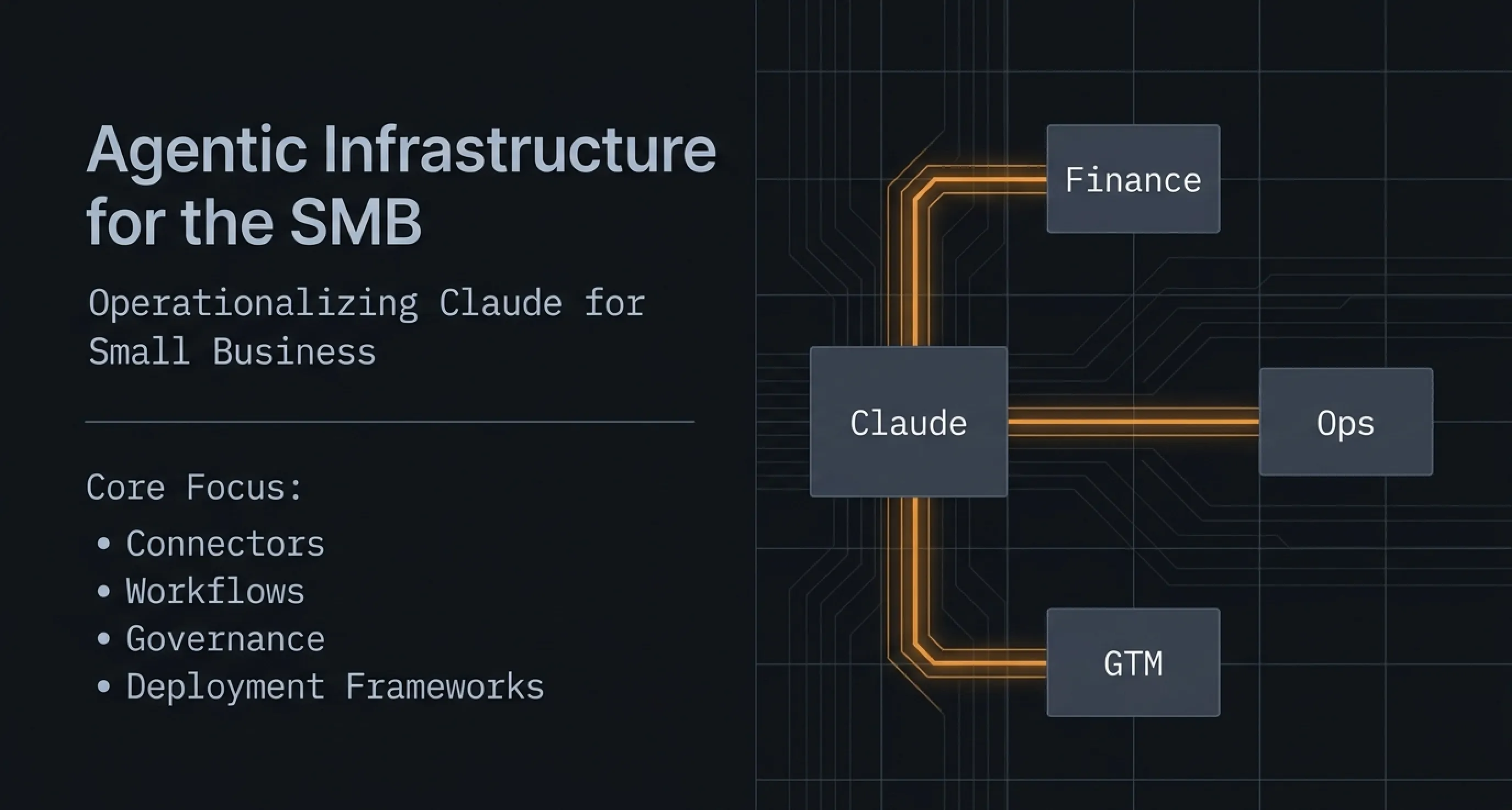
A custom system is not a rejection of Claude. It is the operating layer around it. For many SMBs, the right architecture is an AI operating system that connects existing tools, applies business rules, stores audit logs, presents approvals, tracks KPIs, and calls AI only where it creates leverage.
The custom-build trigger is simple: if the workflow is how your business makes money, protects margin, serves customers, handles regulated information, or differentiates you from competitors, do not leave it as a loose prompt inside a generic tool. Architect the workflow properly.
What Is the Bottom Line?
Claude for Small Business is a strong starting point for SMB automation, but real ROI comes from workflow design, governance, and custom systems where the business logic matters.
NZ operators should start with low-risk, high-volume workflows: invoice chasing, month-end prep, CRM follow-up, support triage, document review, and reporting. Use Claude to prepare the work. Keep humans in control of the decisions. Then build the operating layer around the workflows that matter most.
The businesses that win with AI will not be the ones with the most connectors. They will be the ones that know exactly which workflows to change, how to control risk, and where custom infrastructure creates an advantage competitors cannot copy from a settings screen.
Frequently Asked Questions
Is Claude for Small Business available in New Zealand?
Claude availability depends on Anthropic account access and the connected software accounts a business uses. NZ operators should confirm availability for their Claude plan and each connector before designing an operational workflow around it.
Can Claude replace Zapier, Make, or n8n?
Claude can reduce the need for some simple automations by working directly across connected apps. It does not replace dedicated automation infrastructure when the workflow needs triggers, branching logic, scheduled runs, retries, logging, or integration with unsupported systems.
What is the safest first Claude workflow for an SMB?
The safest first workflow is a prepare-and-review workflow: Claude drafts a report, invoice reminder, CRM summary, or customer response, then a person checks and sends it. This captures time savings without handing over final authority too early.
How should a business measure Claude automation ROI?
Measure the changed workflow, not the model usage. Track hours saved, cycle time reduced, errors avoided, faster follow-up, cash collected sooner, support tickets resolved faster, and whether staff actually adopt the new process.
What risks should small businesses manage before using AI agents?
The main risks are over-permissioned access, weak approval gates, unclear accountability, poor logging, hallucinated outputs, and workflows that bypass existing business controls. These are workflow design problems, not just AI model problems.
What can ManaTech build around Claude for Small Business?
ManaTech can scope the workflow, connect unsupported systems, add role-based access, build approval screens, create audit logs, measure ROI, and turn Claude-assisted tasks into a reliable operating system for the business.
Related Content
Your Website Is Invisible to AI Search — Here Is How to Fix It
AI search engines like ChatGPT, Perplexity, and Gemini cannot read most business websites. If your site relies on client-side JavaScript rendering, you are invisible to the fastest-growing traffic source on the web.
Read more →blogAI Search Sends Businesses 10x More Revenue Per Click
AI-driven traffic accounts for less than 1% of visits but generates up to 11.4% of revenue. The data shows that every AI click is worth dramatically more than a traditional search click.
Read more →blogHow to Get Your Business Cited by ChatGPT
AI citations are the new backlinks. Branded web mentions correlate more strongly with AI visibility than traditional SEO signals. Here are 7 practical steps to get your business into AI answers.
Read more →Want to explore this topic further?
Book a free discovery call to discuss how ManaTech can help your business implement these ideas.
Book a Discovery Call